The database is still currently very small. If you want to help us, you can contribute by sharing your UID and your join date. Read the instructions below to find out how to get your join date for each game. Once you're done, take a screenshot of the date along with your UID in game and upload it below.
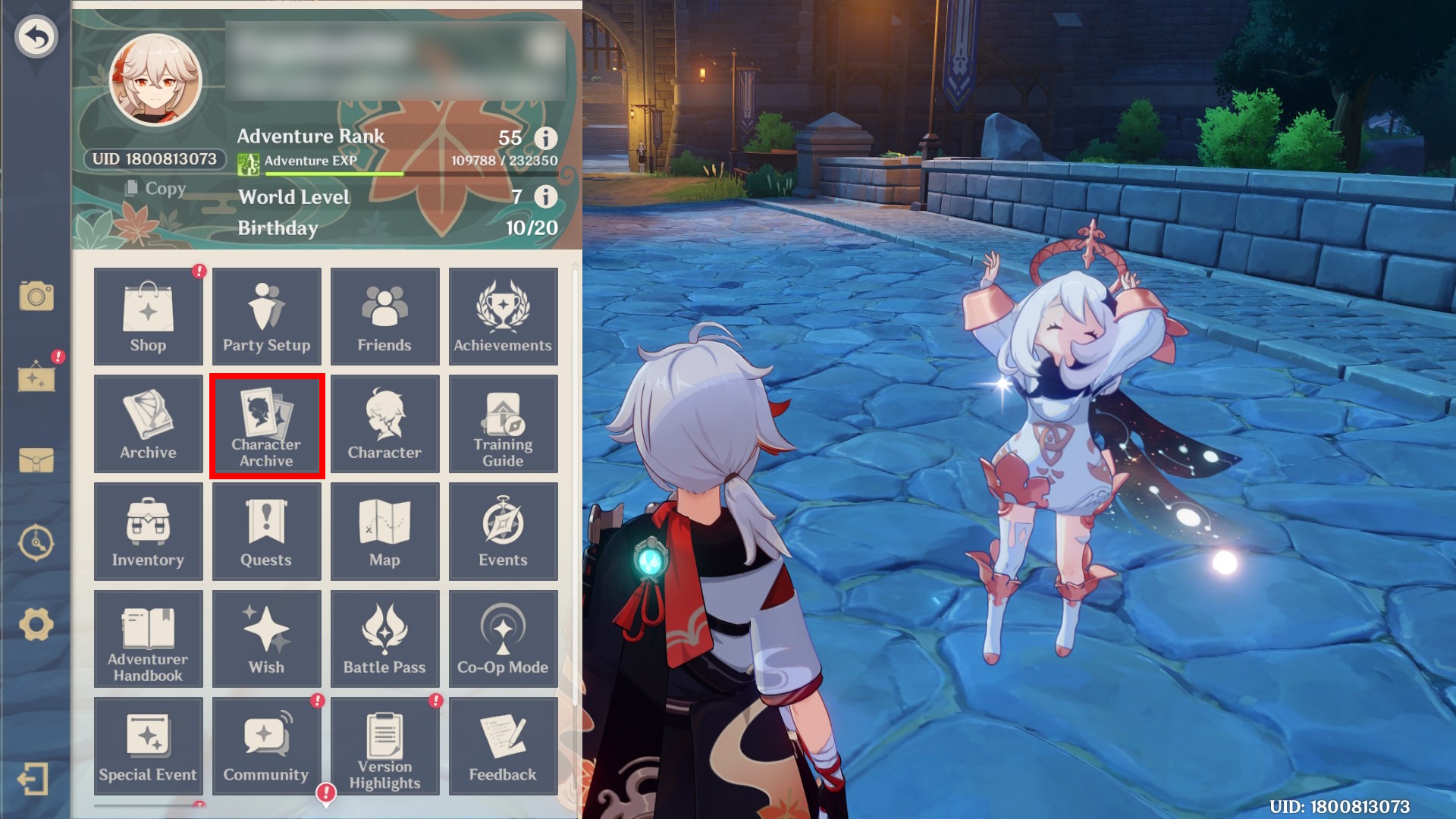
Step 1: Open the main menu and click on "Character Archive"
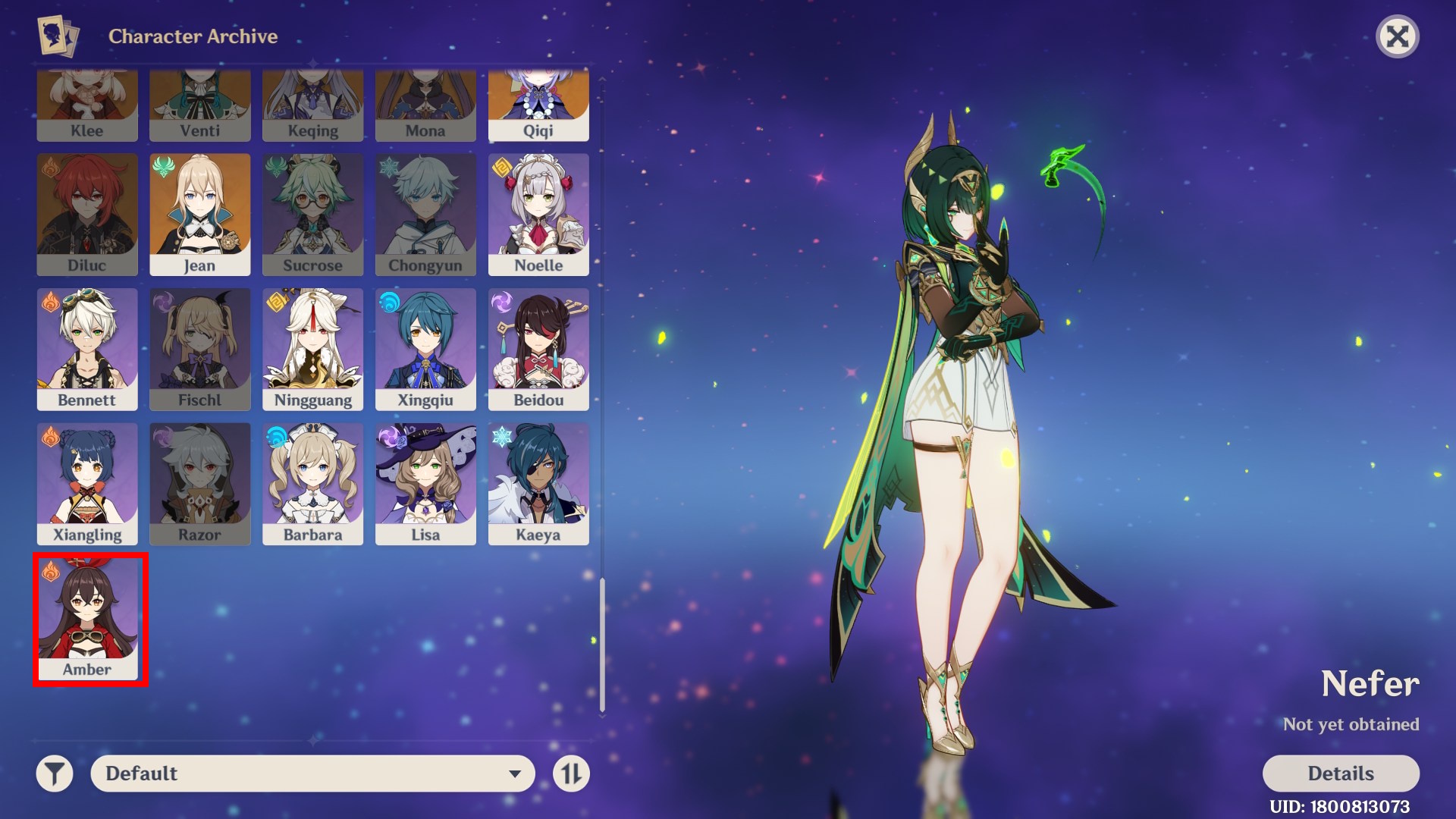
Step 2: Scroll down and click on Amber.
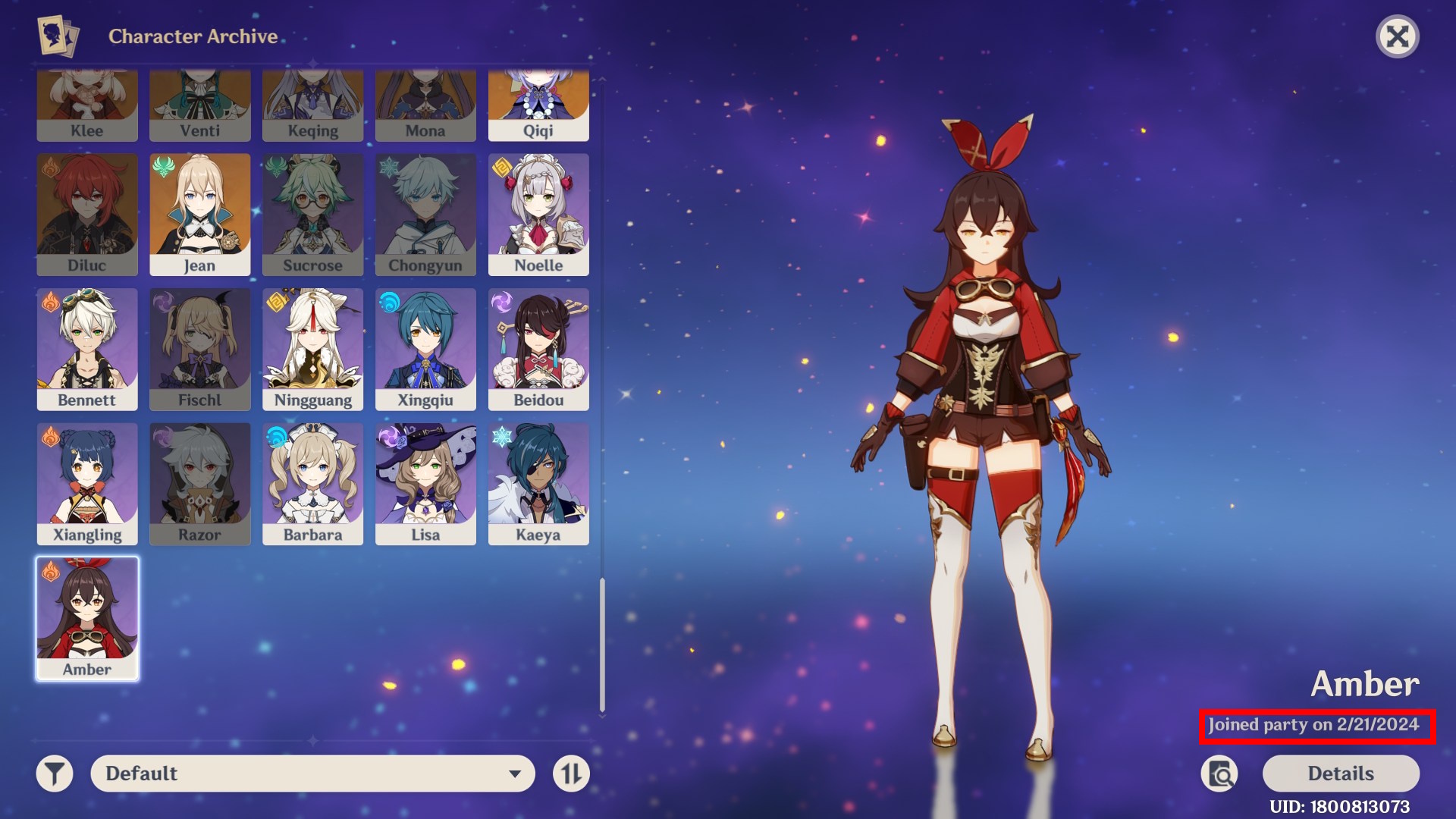
Step 3: On the bottom right, there is a date that shows when you first obtained Amber. This is usually very close to your account creation date.
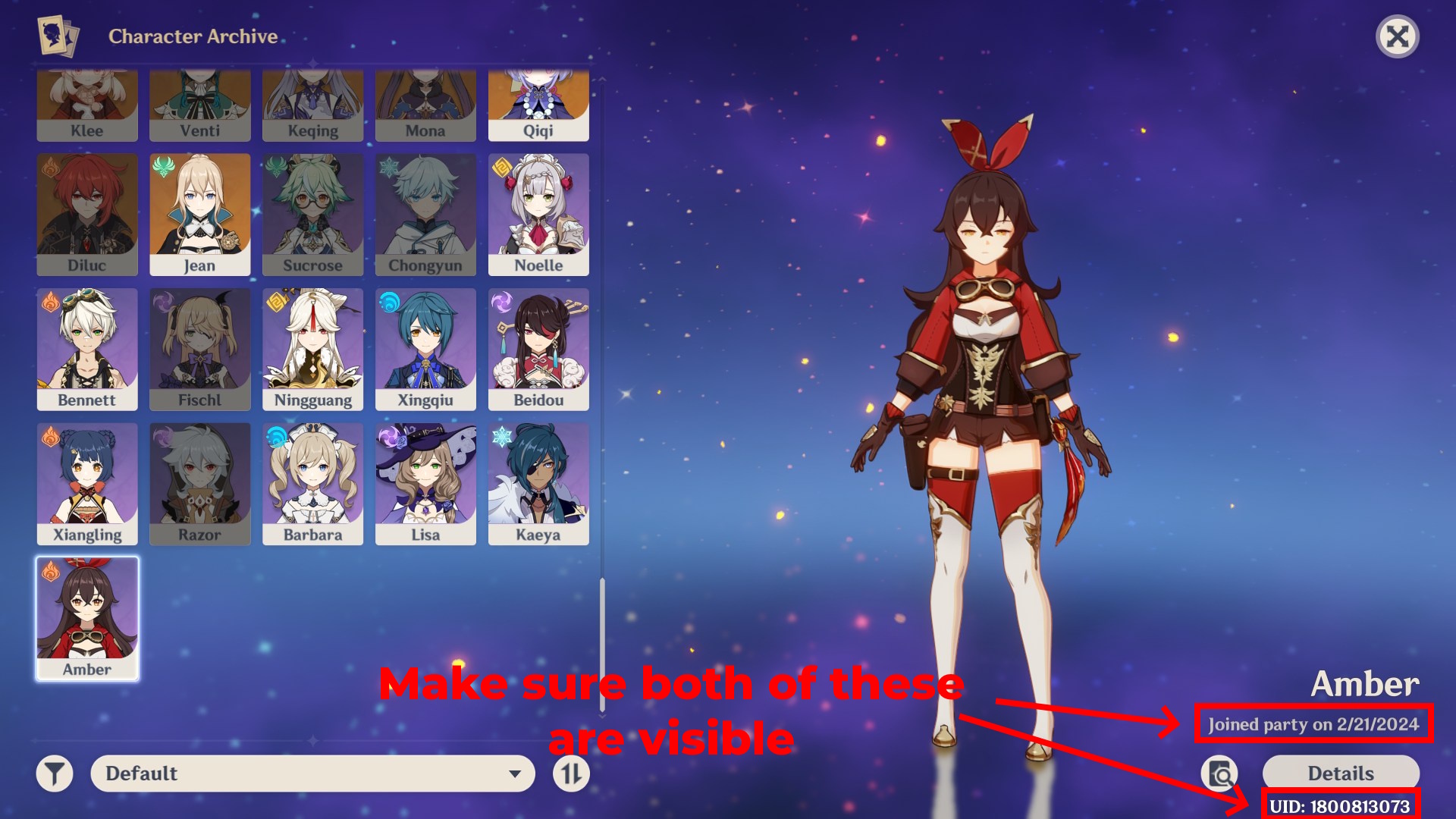
Once you have this information, take a screenshot showing your UID and the join date, then upload it below to help us improve the database. Make sure your UID is visible.
Example Screenshot:
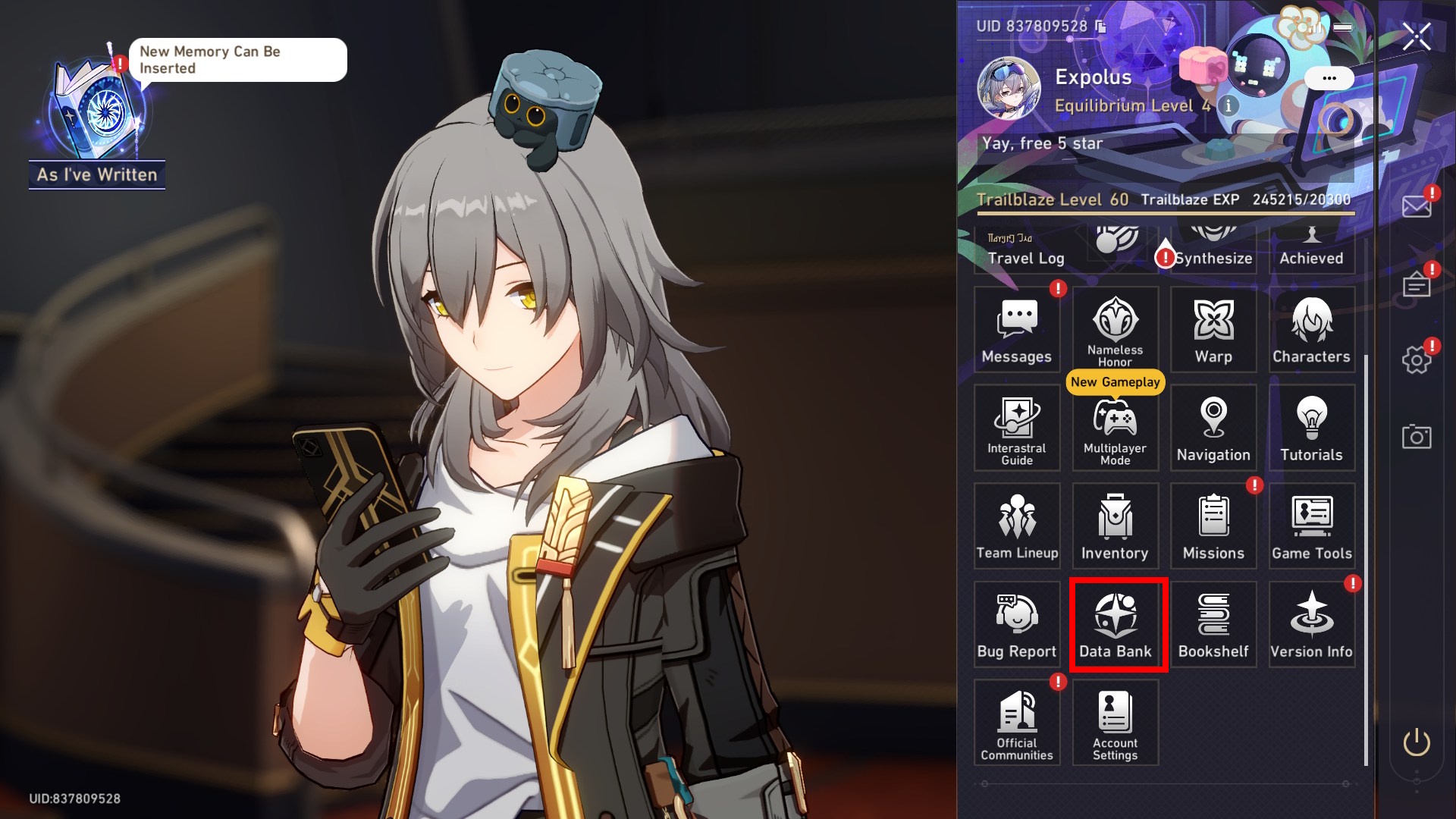
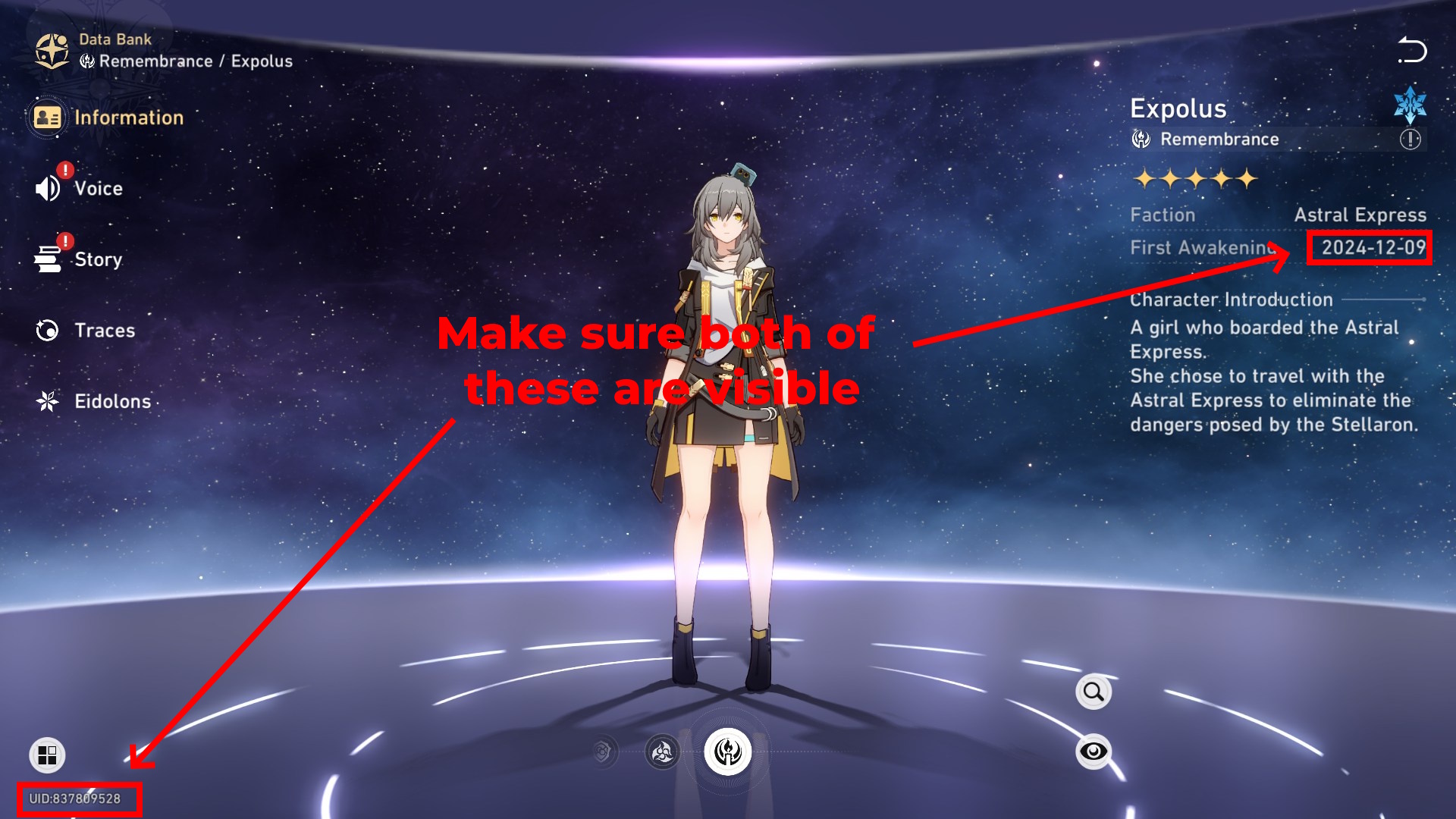
Step 1: Open the main menu and click on "Data Bank"
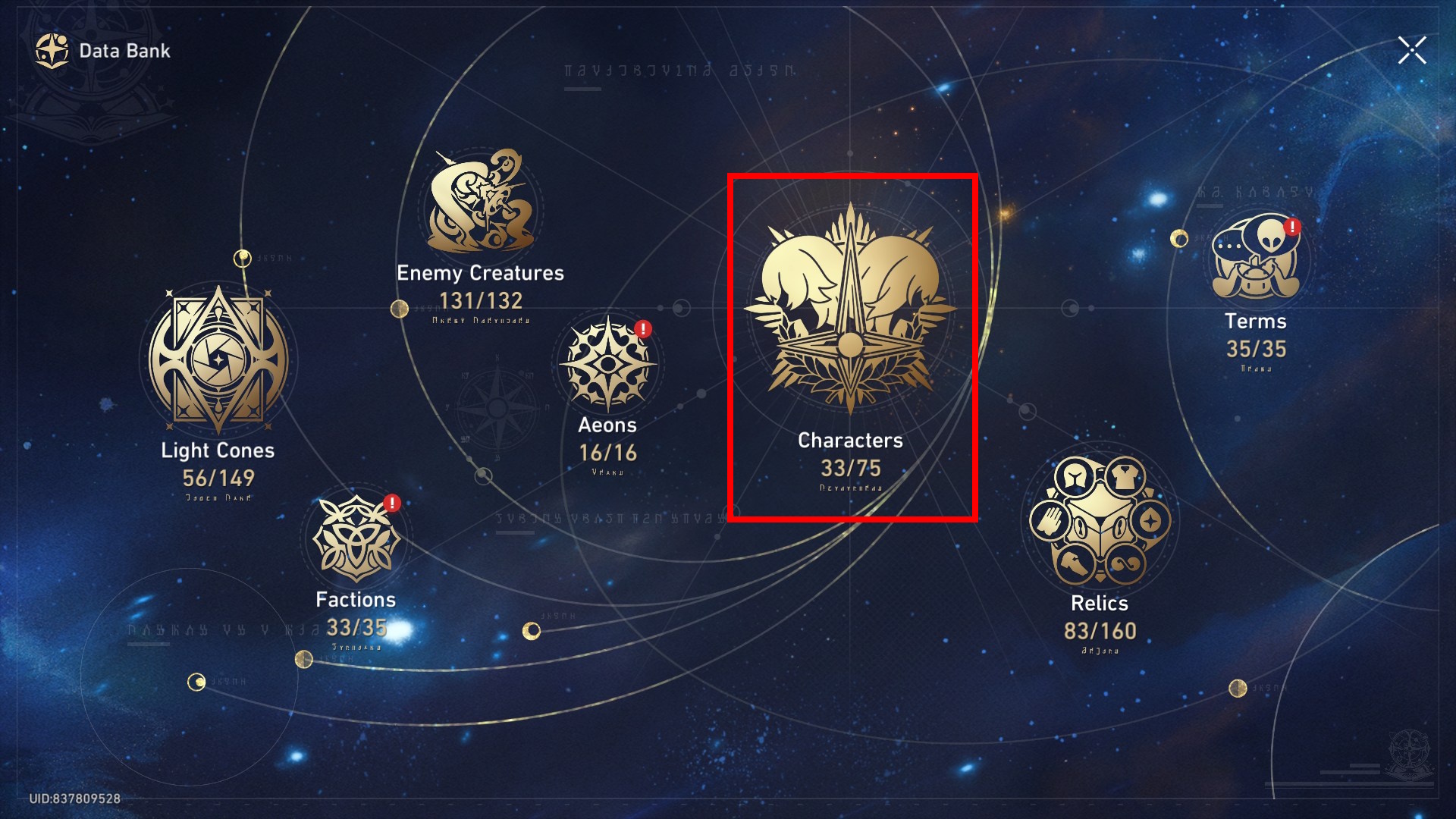
Step 2: Click on "Characters"
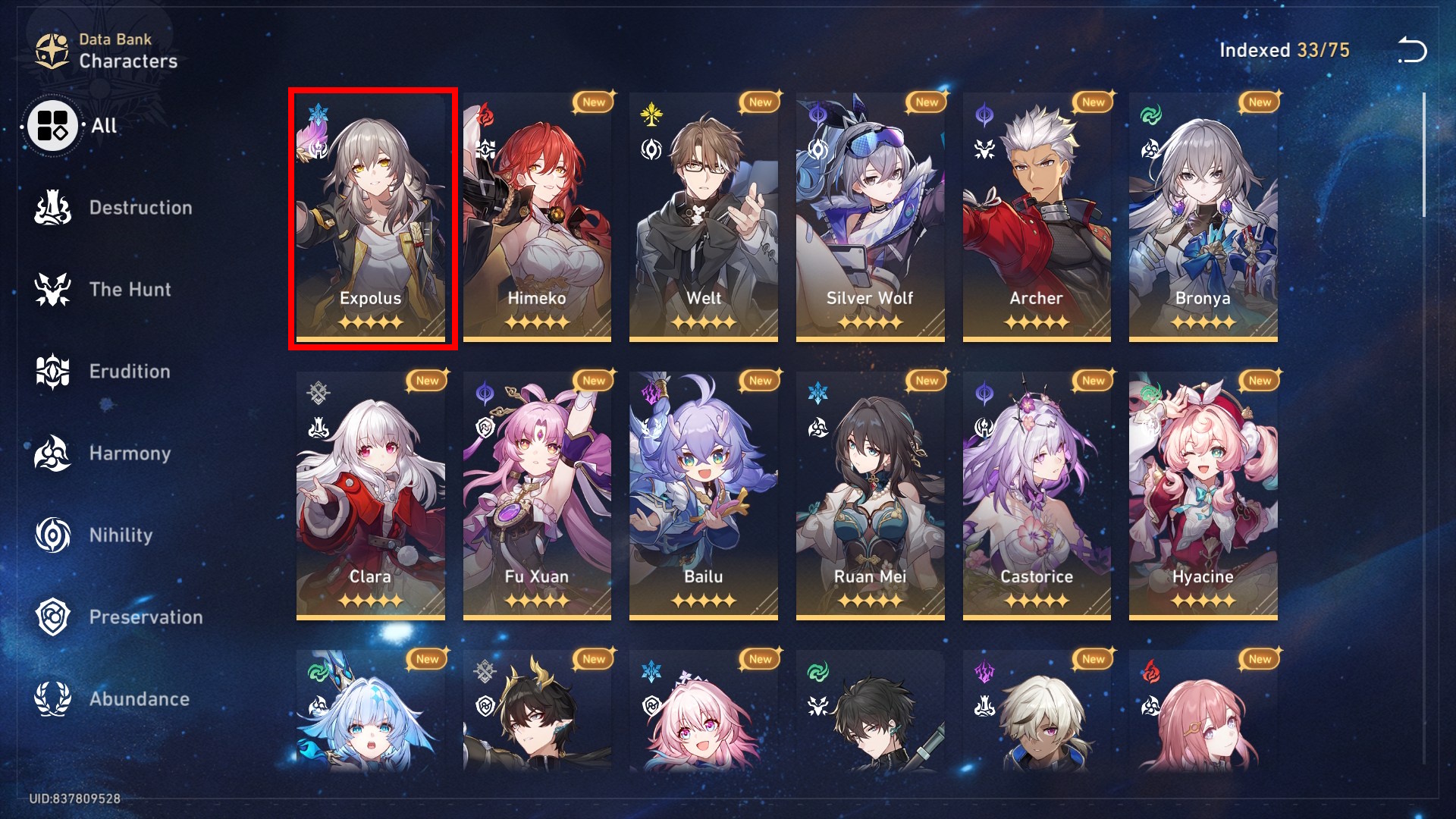
Step 3: Look for your Trailblazer and click on it
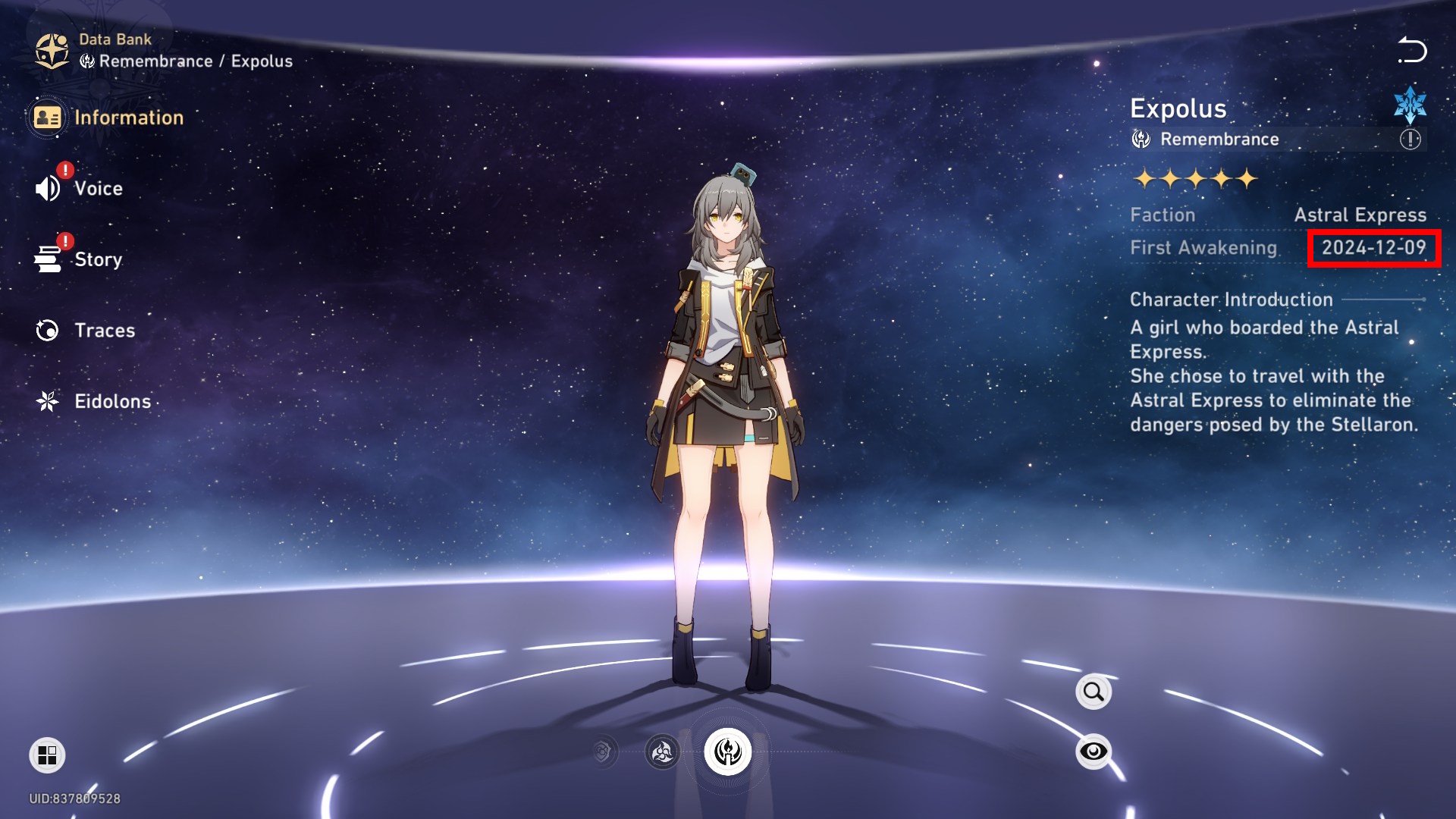
Step 4: You should see the date that you joined Honkai: Star Rail on the right side.
Once you have this information, take a screenshot showing your UID and the join date, then upload it below to help us improve the database. Make sure your UID is visible.
Example Screenshot:
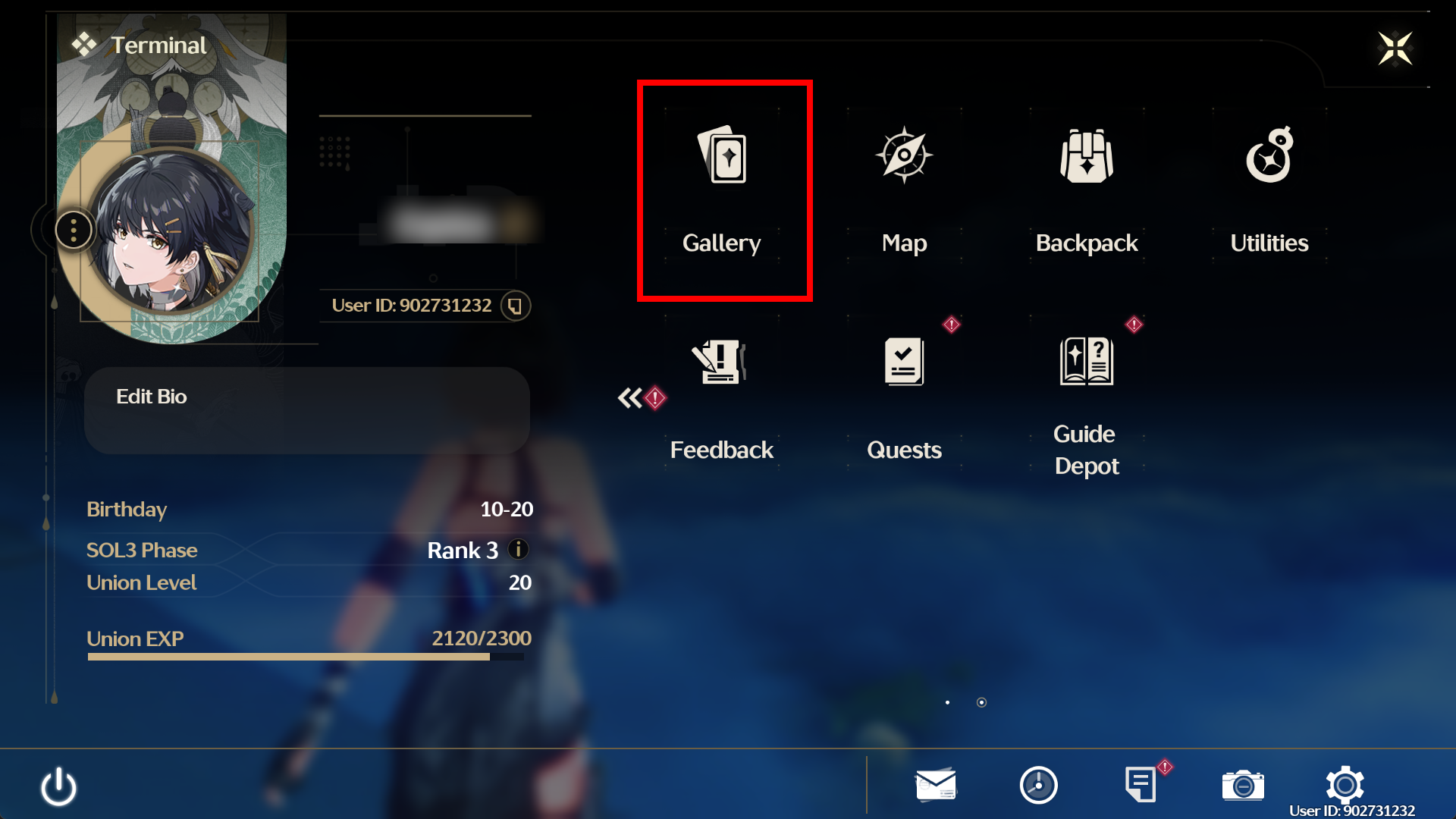
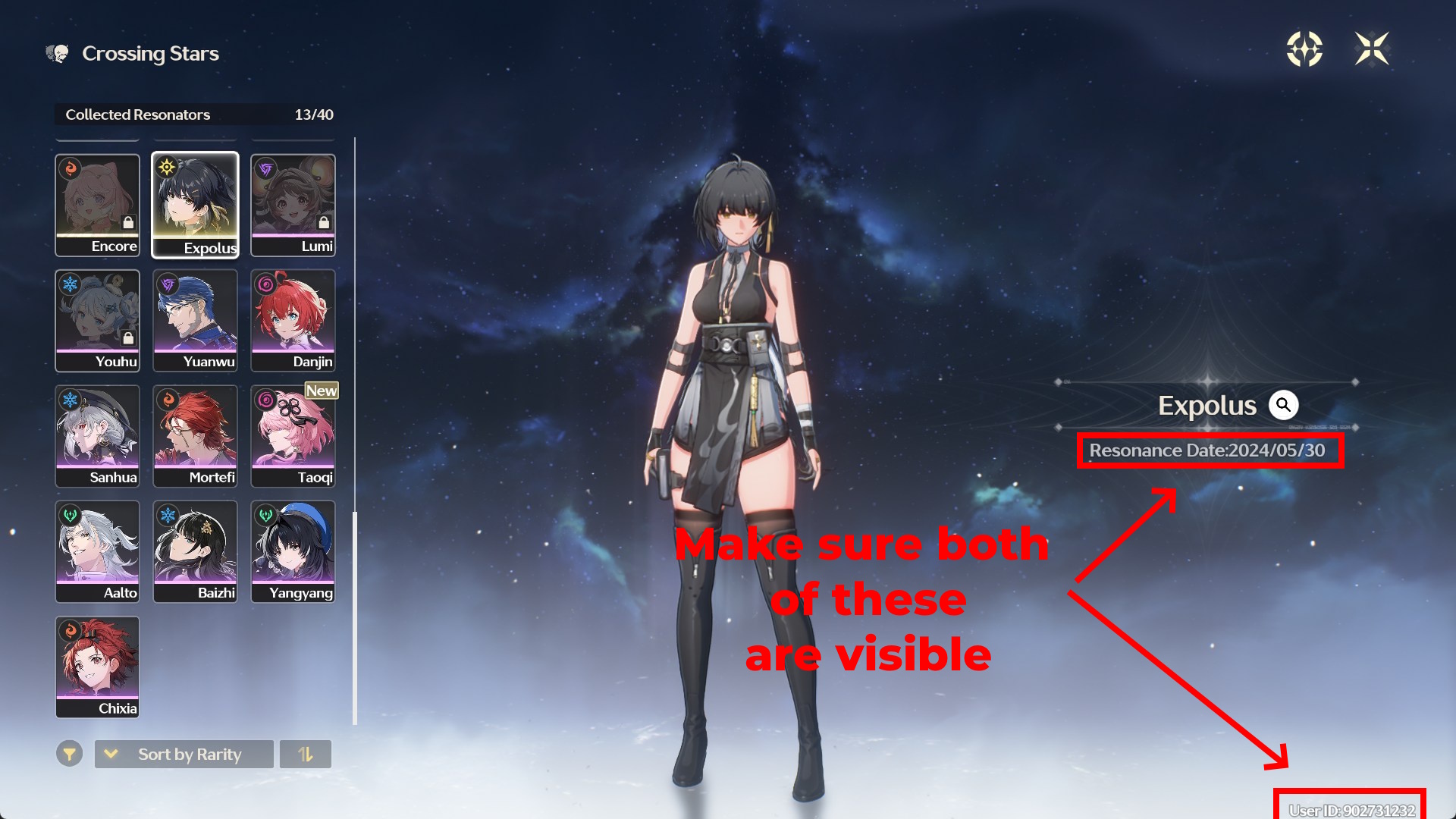
Step 1: Open the main menu and click on "Gallery"
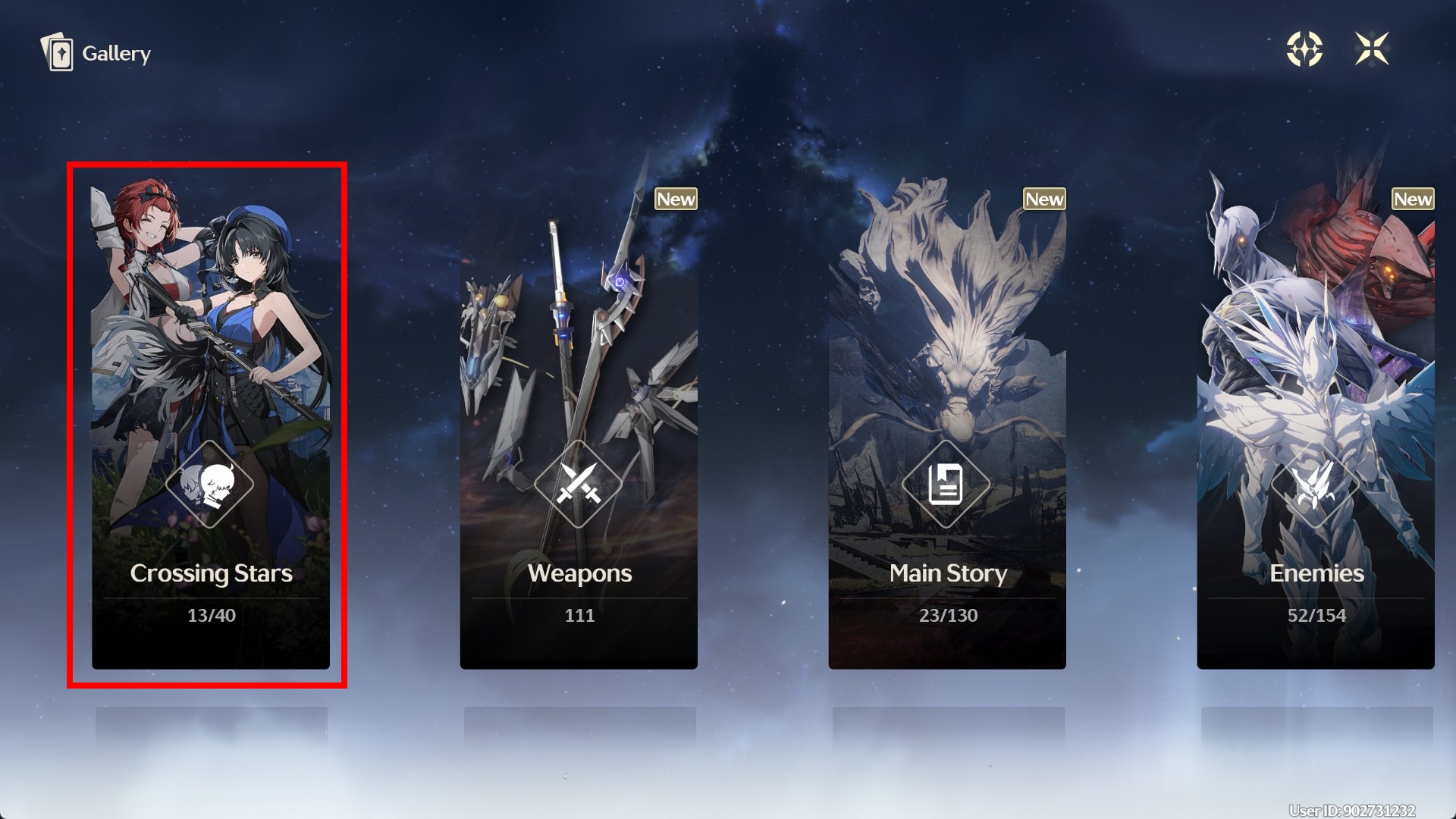
Step 2: Click on "Crossing Stars"
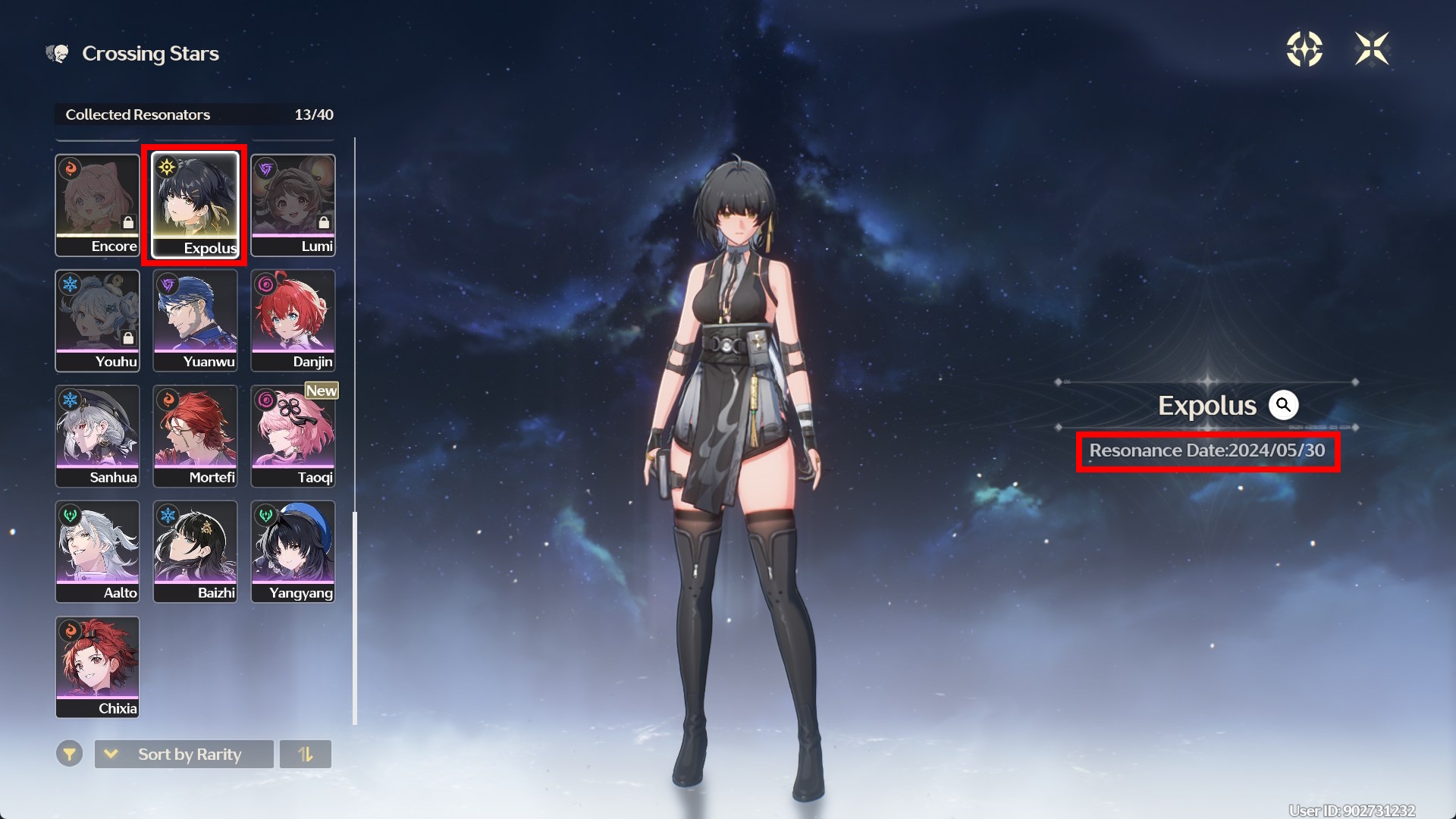
Step 3: Scroll down and look for Rover. The date below Rover should be the date you joined.
Once you have this information, take a screenshot showing your UID and the join date, then upload it below to help us improve the database. Make sure your UID is visible.
Example Screenshot:
There is currently no way to accurately find out when you joined Zenless Zone Zero.
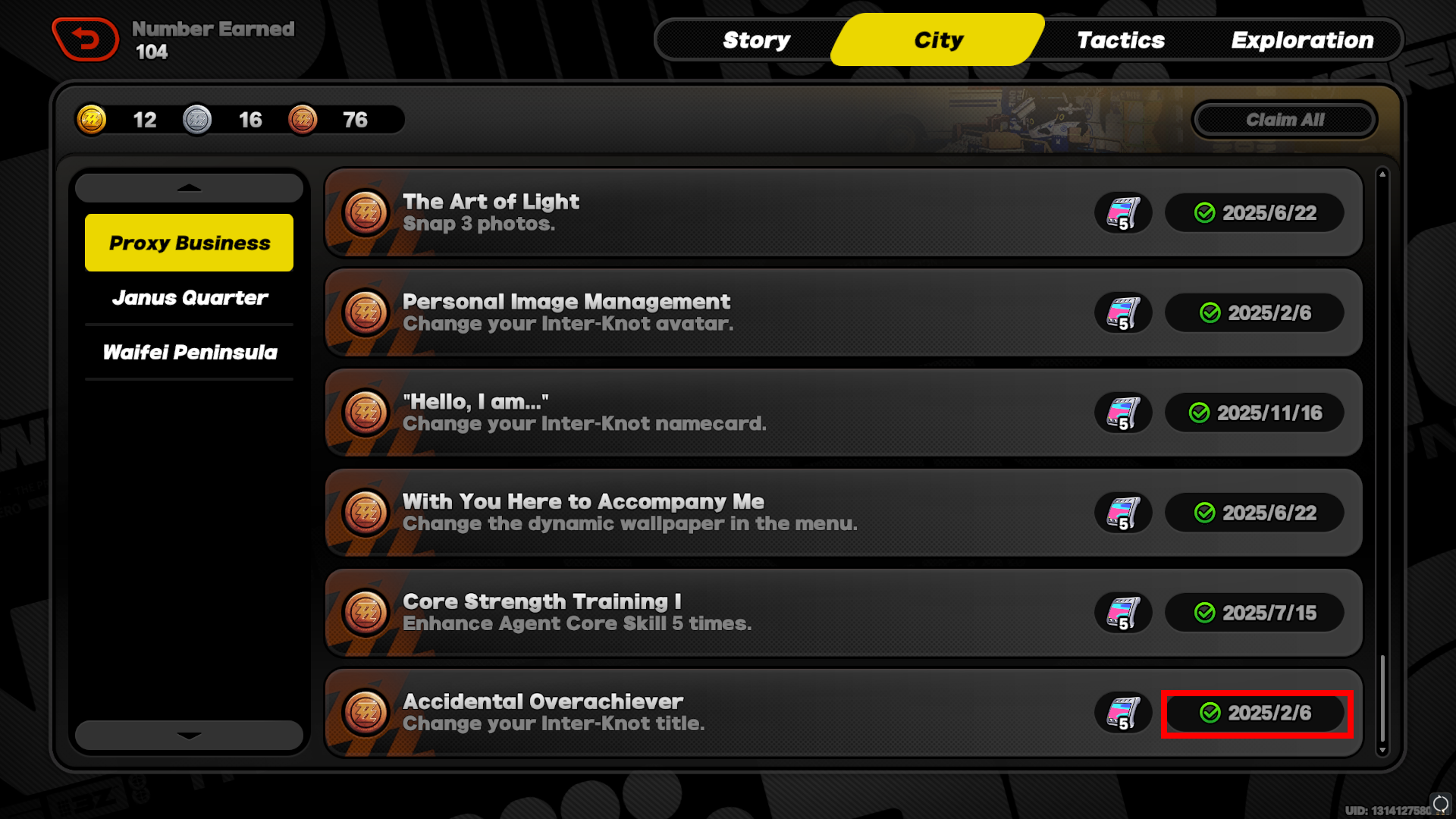
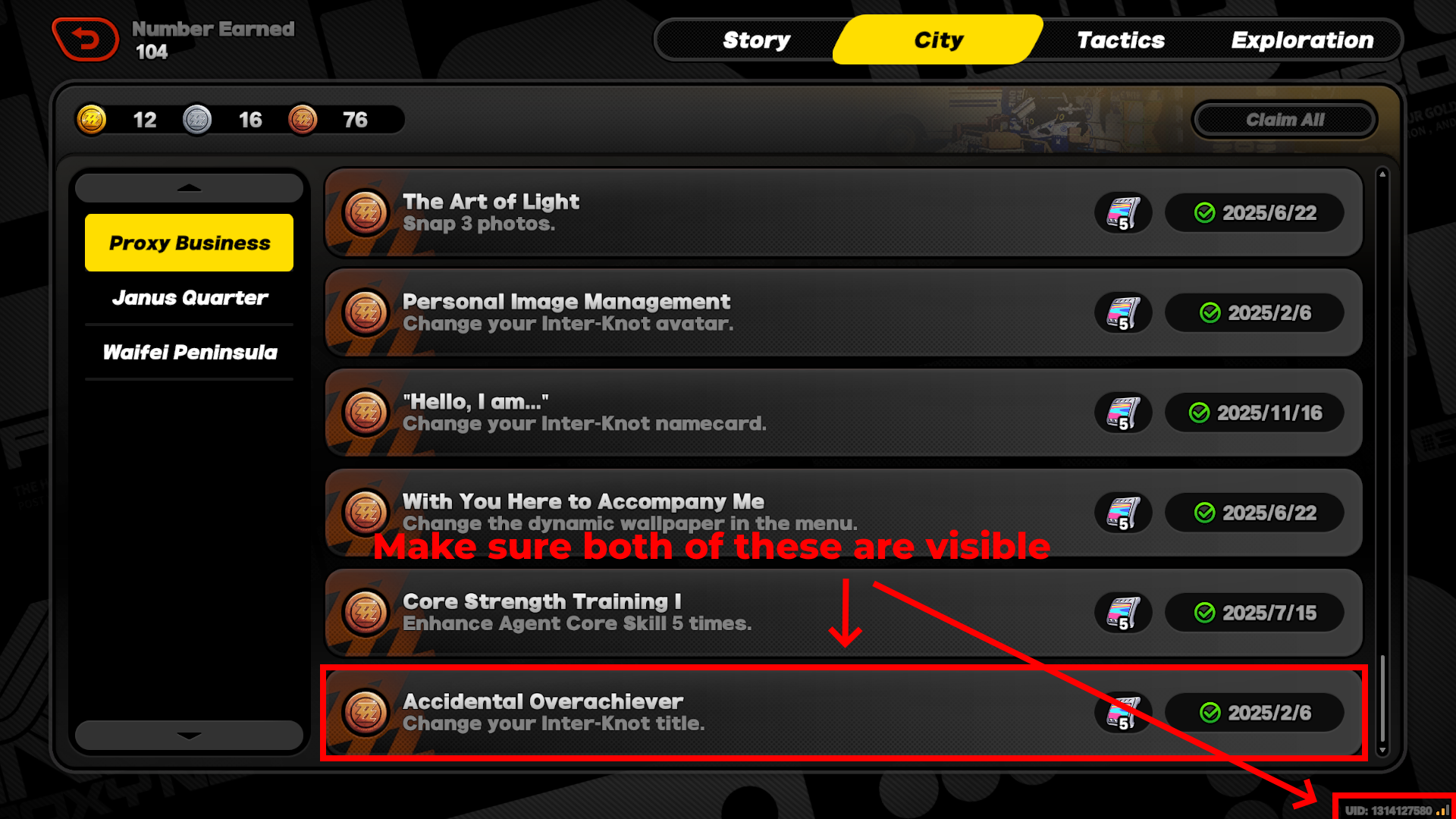
But if you changed your profile title on the same day you joined Zenless Zone Zero. You can check the date that you got the achievement "Accidental Overachiever"
Here are the steps to check the achievement:
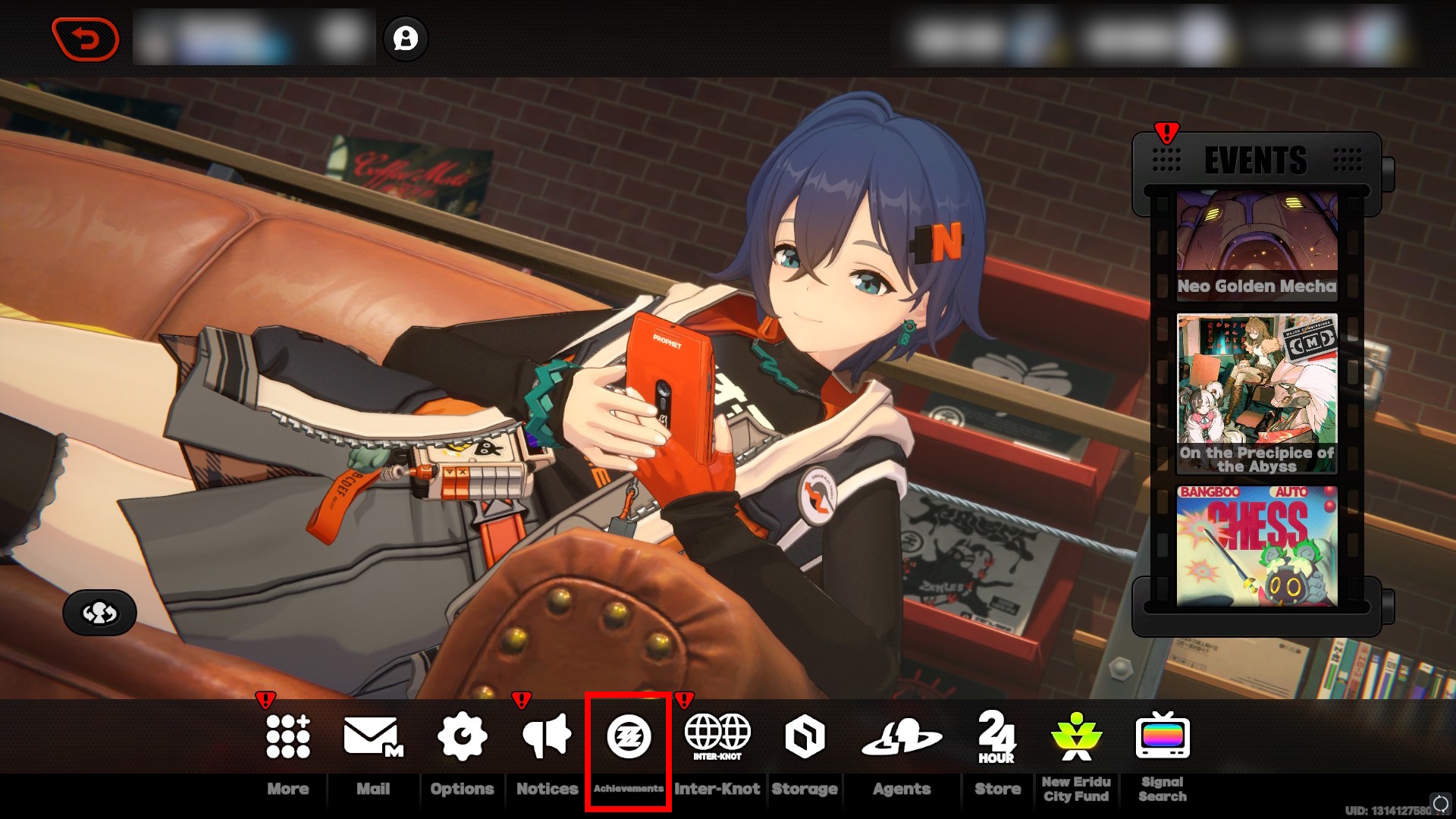
Step 1: Open the main menu and click on "Achievements"
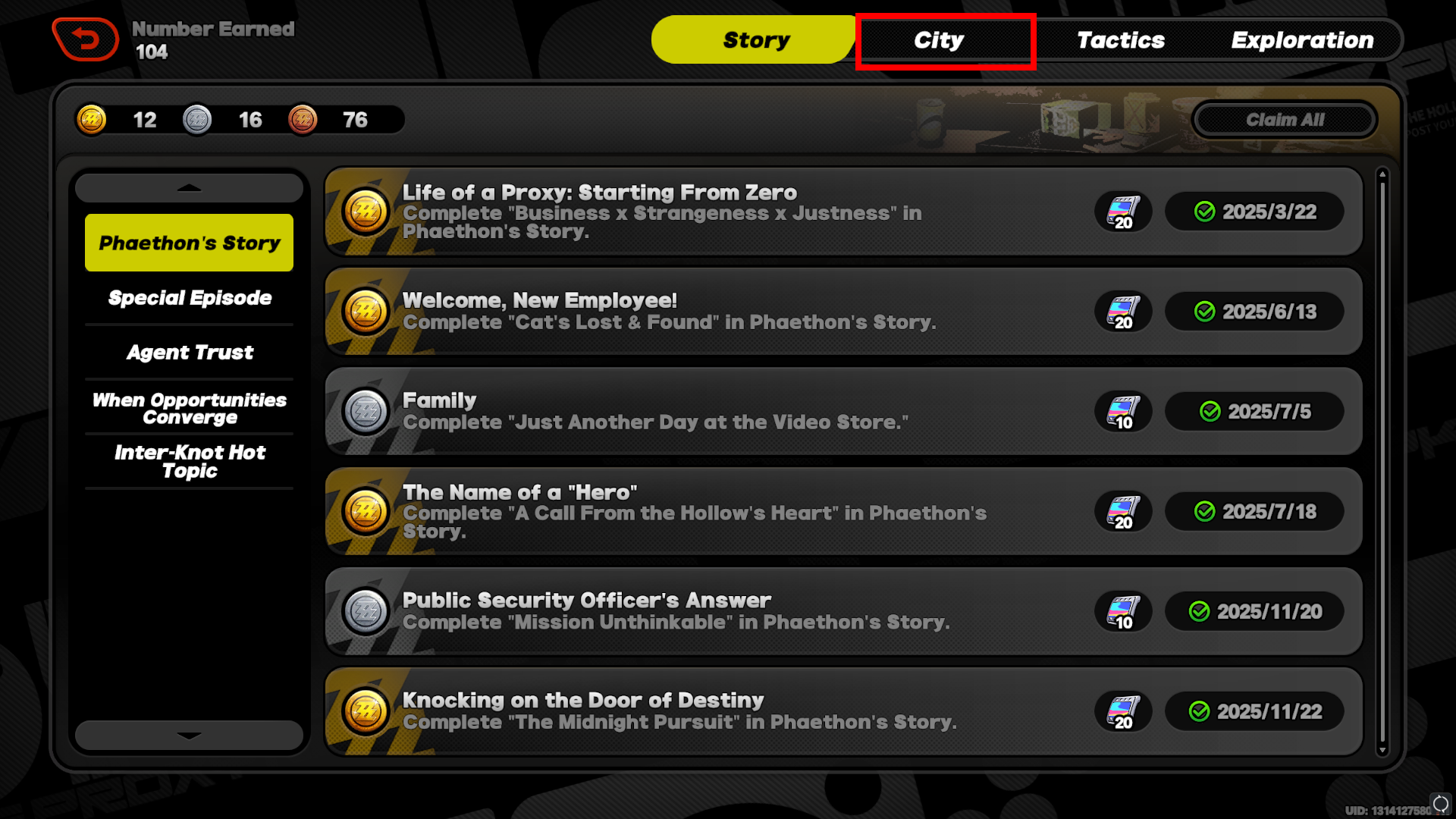
Step 2: Click on the "City" tab
Step 3: Scroll down until you find the achievement "Accidental Overachiever"
If you changed your Inter-Knot title the day you started playing the game. That date should be your join date.
Once you have this information, take a screenshot showing your UID and the join date, then upload it below to help us improve the database. Make sure your UID is visible.